Workflow automation for accounting firms — set it once.
Standardize work, so your team doesn't reinvent the process every time.
- A perfect daily task plan, created automatically
- Never miss a deadline with automated task scheduling
- Recurring templates for weekly, monthly, quarterly, and yearly tasks
4.8 from 300+ reviews · No credit card required
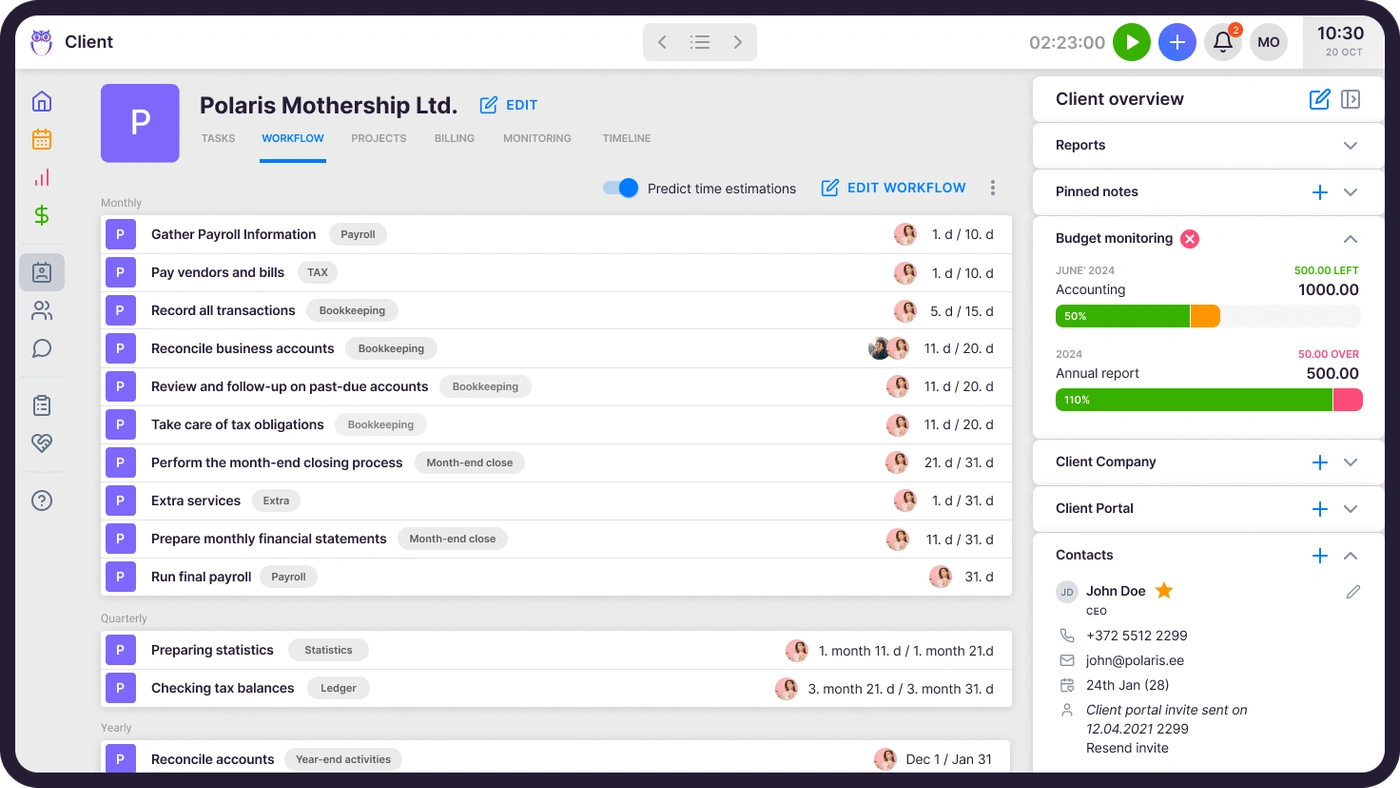
Accounting workflow automation is software that generates and assigns a firm's recurring work automatically — monthly bookkeeping, quarterly VAT returns, year-end filings — instead of a manager rebuilding the task list by hand every period. A recurrence pattern creates each task on schedule, routes it to the right team member, tracks it against its deadline, and hands it to the next person the moment a dependent step is done. When your processes live in templates instead of people's heads, the work assigns itself to the right person on the right day — and onboarding a new client or a new accountant means applying a workflow, not writing a manual.
Tasks automated
Automated workflows ensure tasks reach the right person's dashboard when the time is right. No manual assignment needed.
Missed deadlines
Recurring tasks appear automatically on the right day. If a recurrence falls on a weekend, Uku adjusts it forward or backward — your choice.
For all task information
Subtasks, attachments, manuals, notes, and topics — everything about a task lives in one place, accessible to the right people.
"Uku is easy to use and accountants actually love working with it."
Jurgita A., CEO, Lithuania
Save time with bookkeeping workflow templates.
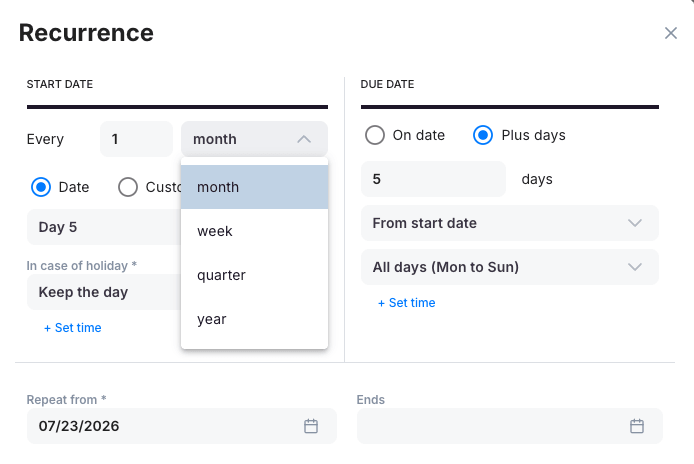
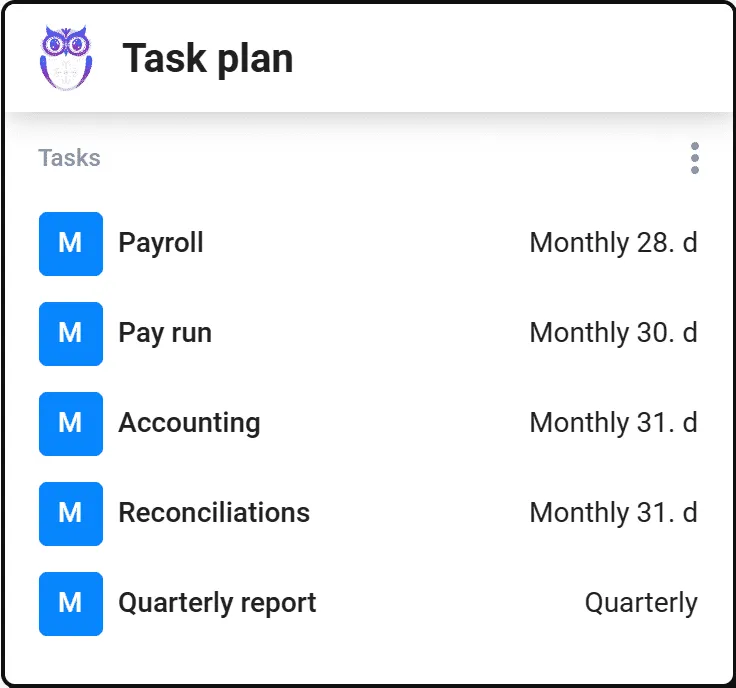
Add a weekly recurrence to show tasks on chosen weekdays. Use date-based recurrences for monthly, quarterly, or yearly work.
- Weekly , monthly, quarterly, and yearly recurrence patterns
- Weekend rule — finish the task before or after the day — you decide
- Templates carry subtasks , attachments, assignee, and time estimates
All important information in one place.
Checklists, attachments, manuals, and notes keep the context together. Topics group and filter tasks so you find what you need instantly.
- Subtask checklists for every task
- Attachments and work instructions right where the work happens
- Topics to group and filter tasks across clients
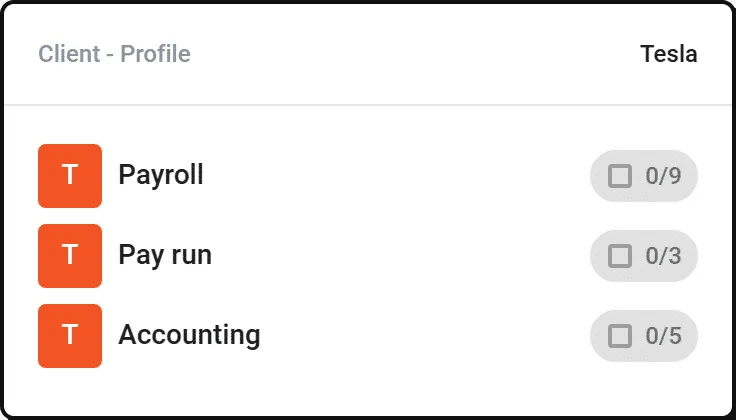
Each client has their own work plan.
Agreed tasks with deadlines, the person in charge, customer information, documents, notes, and access rights — a complete system tailored to each client.
- Unique workflows per client, built from master templates
- Deadlines and responsible persons visible at a glance
- Pairs with Client Management — one profile per client
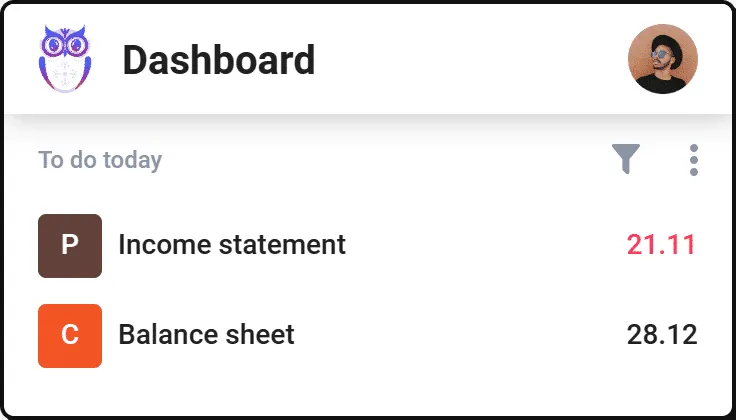
Uku plans tasks for you.
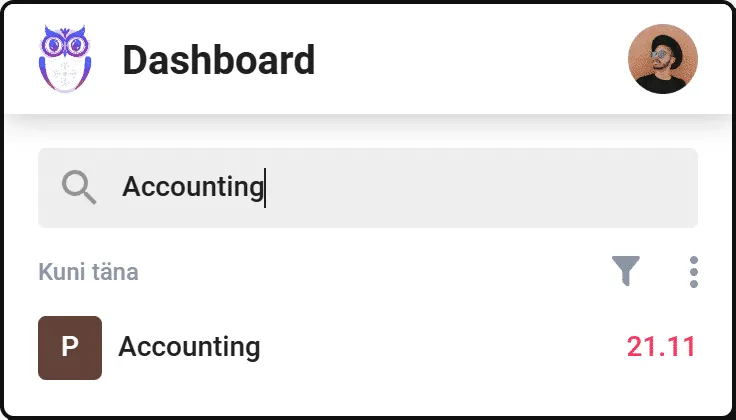
Today's jobs are prioritized by default. Manage tasks on your dashboard or calendar — and find any task with search and filters.
- Today's prioritized plan, ready every morning
- Search and filter — no more scrolling endless lists
- Works hand-in-hand with Task Management
Handoffs happen without an email.
Chain tasks so completing one hands the next to its owner automatically. The person entering documents doesn't wait for a status update — they get the task the moment the previous step is marked done.
- Dependent tasks notify the next owner the moment the previous step is done
- No status meeting needed to know who's up next
- Multi-step engagements run through Project Management
See what's overdue before the client does.
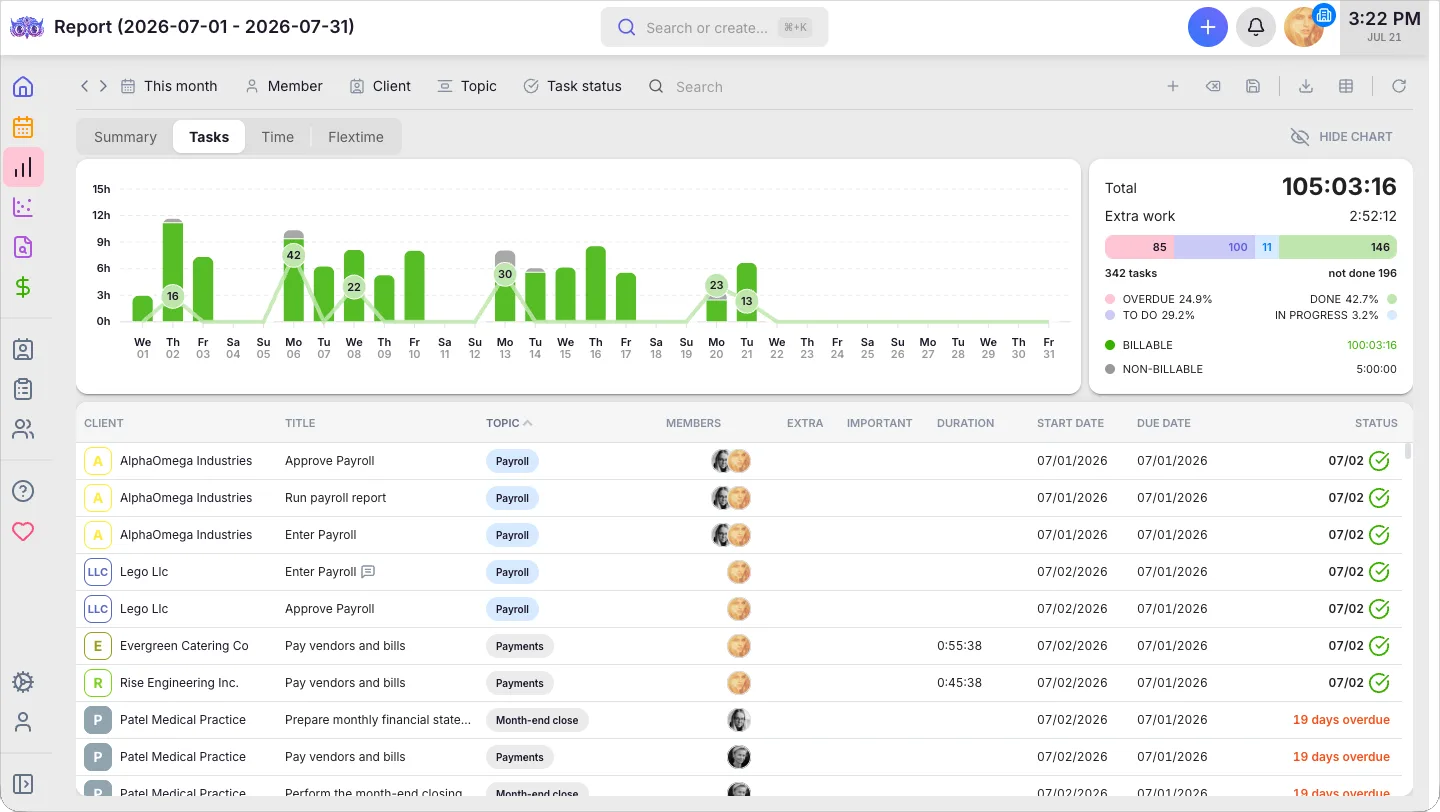
Every task's deadline rolls into one report. Overdue and unbilled work surface automatically, instead of getting discovered when a client calls.
- Overdue and unbilled work surfaced in one report, not chased manually
- Email notifications for task assignments and status changes
- Client-facing deadlines live in the Client Portal, with automated reminders
Accounting workflow management features.
Workflow templates
A quick overview of the tasks in every service. Use templates as a basis when creating client work plans.
Customizable dashboard
Save your ideal dashboards with chosen filters and grouping for fast access.
Custom fields
Track what matters to you — for example, whether a client is late sending documents.
Automated time tracking
Enter a time forecast for a task. Mark it done — and the time logging happens automatically.
Real-time overviews
Reports consolidate tasks, time, and volumes by client and team — insight into what to improve.
The person responsible
User rights let every member see only what they need. The responsible person sees the team's tasks.
Dependent tasks
Completing one task triggers the next and notifies its owner — handoffs happen without anyone asking.
Deadline reminders
Reminders go out before deadlines approach, and team leads see overdue tasks highlighted in real time.
Yes, Uku workflow automation can do that.
Every workflow automation question we hear from accounting firms — and the answer is always the same.
- Can I create recurring task templates for monthly, quarterly, and yearly work?
- Can I set weekly recurrences for tasks that repeat on specific days?
- Can I automatically adjust deadlines when tasks fall on weekends or holidays?
- Can I keep subtasks, attachments, and notes all in one place per task?
- Can I create a unique work plan for each client with their own deadlines?
- Can I group and filter tasks by topics across all clients?
- Can I see today's prioritized tasks on my dashboard automatically?
- Can I use workflow templates as a basis when setting up new clients?
- Can I track time directly within a task and auto-log it when marking done?
- Can I see an overview of my team's tasks as the responsible person?
- Can completing one task automatically hand off the next to its owner?
- Can I get email notifications for task assignments and status changes?
- Can overdue and unbilled work surface automatically in one report?
- Does workflow automation connect to automated billing once time is tracked?
Workflow automation questions.
What is workflow automation for accounting firms?
Workflow automation means standardizing your recurring tasks with templates and rules so they appear on the right person's dashboard at the right time. Instead of manually assigning work each month, Uku creates tasks automatically based on recurrence patterns, deadlines, and team assignments.
How do recurring task templates work in Uku?
You create a task template once with all the details — subtasks, attachments, responsible person, and time estimates. Set a weekly, monthly, quarterly, or yearly recurrence. Uku automatically generates the task when it's due and assigns it to the right team member.
Can I customize workflows for each client?
Yes. Each client has their own work plan with agreed tasks, deadlines, the responsible person, customer information, contacts, documents, notes, and access rights. You can use master templates as a starting point and customize per client.
How does Uku handle tasks that fall on weekends or holidays?
When a recurring task falls on a day off, you choose whether the task is brought forward or moved to the next working day. This ensures no deadlines are missed while respecting your team's work-life balance.
Can I track time directly within my workflow?
Yes. Uku integrates time tracking directly into the task workflow. Enter a time forecast, work on the task, and when you mark it done, the time is logged automatically. Every tracked minute can map to a billing contract.
How do I get started with workflow automation in Uku?
Start by creating workflow templates for your most common recurring services. Assign them to clients, set recurrence patterns, and Uku takes over from there. Most firms are fully set up within the first week of their free trial.
Can one task automatically hand off to the next person?
Yes, with dependent tasks. Mark a task dependent on another and it appears on its owner's dashboard the moment the first is marked done — no email, no status meeting, no one waiting to be told it's their turn.
Will my team get notified about deadlines and status changes?
Yes. Uku sends reminders before deadlines approach, and you can set up email notifications for task assignments and status changes. Team leads see overdue tasks highlighted in real time instead of finding out from a client.
What's the difference between workflow automation and task management?
Workflow automation is the engine that generates and routes recurring work — the templates, recurrence patterns, and dependencies. Task management is where the team lives day to day — the dashboard, calendar, and filters they use to work the tasks that automation creates.
Have a question? Contact us — real people answer.
Top-rated by accounting firms, consistently.


Explore the rest of Uku.
Deliver the work
Serve clients
Run a profitable firm
 QuickBooks
  Xero
Xero  Gmail
Gmail  Google Drive
  Dropbox
  Zapier
  Microsoft 365








Elevate your efficiency with the powerful yet easy-to-use accounting practice management software.
"Let's create a dream, where the team is happy, clients are well served and profits are fair." — Rain Allikvee, Co-founder of Uku